Find your frame.
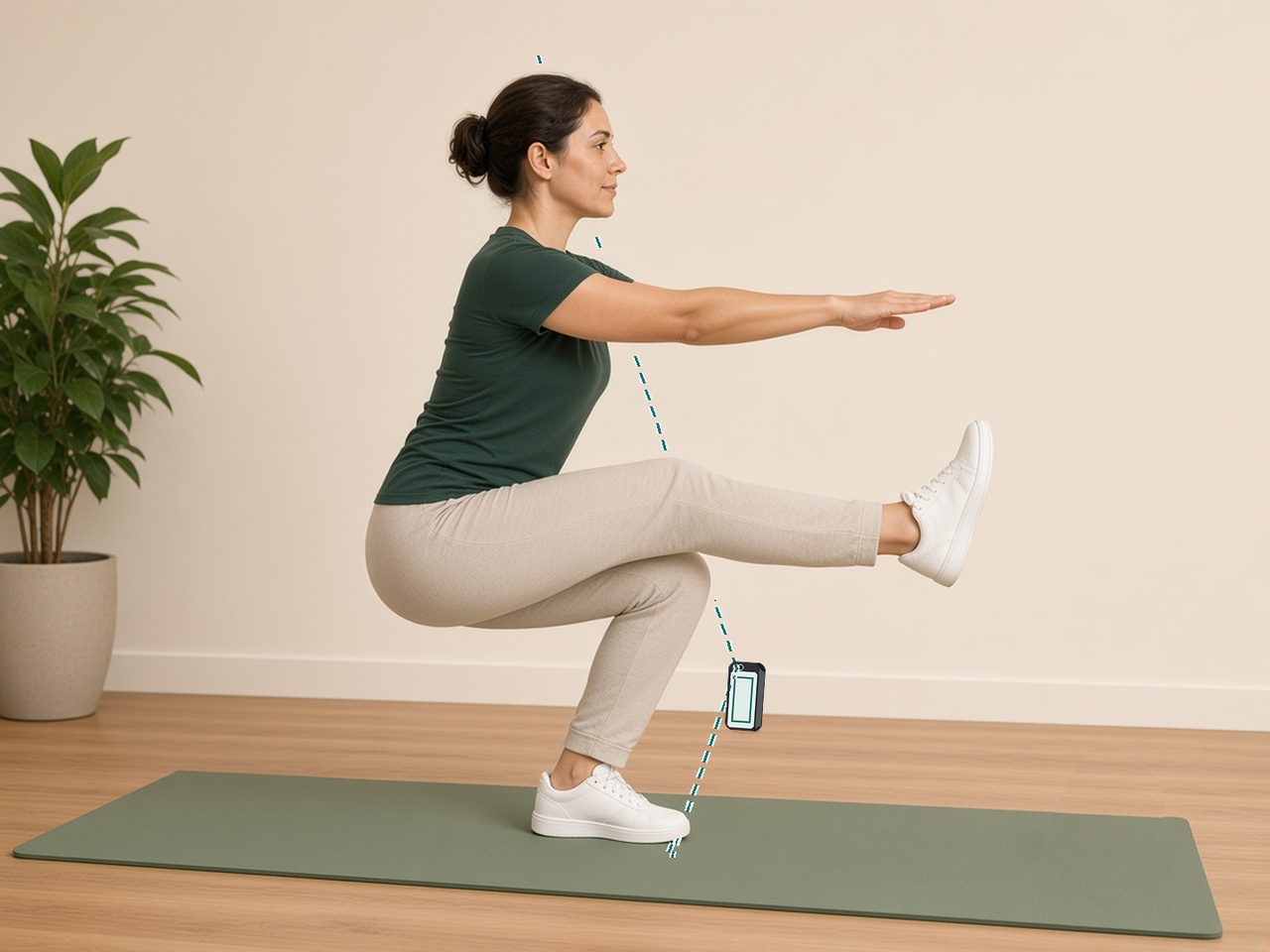
Prop your iPhone securely with its screen facing you. Fit your whole body and both feet in the preview, then turn sideways with your selected support leg nearer the phone.
A small check-in for your legs. Count and time three single-leg squats, record each side, and follow your own progress.
Three repsOne focused test
Left & rightSeparate records
On your iPhoneNo account needed
A clear place to start
Prop your iPhone securely with its screen facing you. Fit your whole body and both feet in the preview, then turn sideways with your selected support leg nearer the phone.
Choose a comfortable level. The camera counts reps, estimates squat depth, and times the attempt. After three reps, confirm whether you stayed on the same leg without touching down or using support.
Keep left and right records separately. Review comparable completed results and personal bests in History. Partial attempts stay separate from completed three-rep times.
Your movement, on your device
Camera frames are processed on your iPhone and are not saved or uploaded by SquatMark. History stays in the app and may be included in your device backups. You choose whether to share a result card.
Read our privacy policySquatMark is for personal fitness tracking, not medical assessment or a direct measure of muscle strength. Measurement accuracy and equivalence across devices have not been established. Technique, lighting, clothing, and camera setup can affect results. Choose a comfortable level and stop if you feel pain or lose balance.